Showing posts with label Google Alert. Show all posts

Friday, 4 December 2015

Google Alert: Beware Of The Mobile Site Redirects

sneaks-of-mobile-redirects


With the increasing use of smartphones and tablets, presence of mobile site for these small yet effective platforms is also on the rise. Several website owners have tried to access this rapidly growing mass considering them as potential buyers and users of different industries. However, among all these some of them are there who use mobile traffic network as a way to redirect users from one site to another. This not only affects the user experience but can also influence the traffic and ranking of the website as well. 

Keeping an eye on this activity for a long time, Google has now decided to penalize all these webmasters and websites. Google’s Search Quality Senior Strategist, Andrey Lipattsev said that he and his team is working on this project keeping it close to his heart. Any mobile affiliate traffic driving networks will penalize if they are forcing the users to bounce from one site to another.

 Knowingly or unknowingly some of the publishers are adding such links to their website affecting their ranking as well as traffic. If the user bounce back rate is very high on a website, it can affect the ranking of the site on Google algorithm severely. The search engine giant had given such warning a month ago as wall but now it is pretty much clear that Google will be stern towards engaging into such activities. If you have been into this, it is time to stop and clear your records. However, do make sure to check out the data of your site, removing all the affiliates who might be into this.

Tuesday, 15 July 2014

How to Use Google Alerts?

Do You want to specialize on any topic? Do you want to collect filtered information on any topic from web? If yes then Google Alert is the best tool for you to collect information and use in your practical profession.

Google Alert is a service of Google by which you can gather filtered information on any particular criteria. This service is helpful in many reasons. You will get an automated mail of your desired information with the help of Google Alert Service.

Here I am declaring some points by which you can easily create your Google Alert for you.

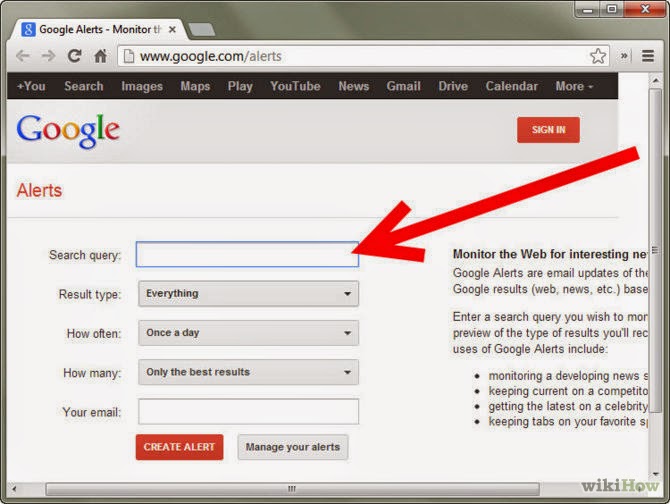
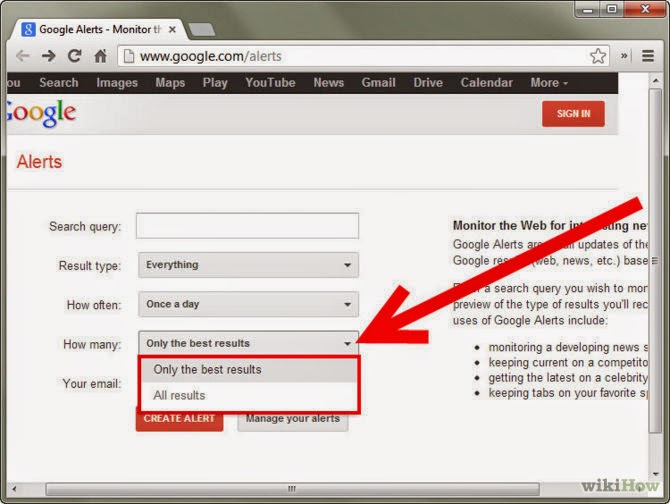
1. Open Google Alert: Type into your web browser "http://www.google.com/alerts". This will redirect to Google Alert Home Page.


2. Fill Text Boxes: Enter your desired topic which you would like to take alerts in first text box "Search Query". As you are going to type texts, Google will suggest you the best topics. If nothing is coming as suggestion then please re-write your texts.


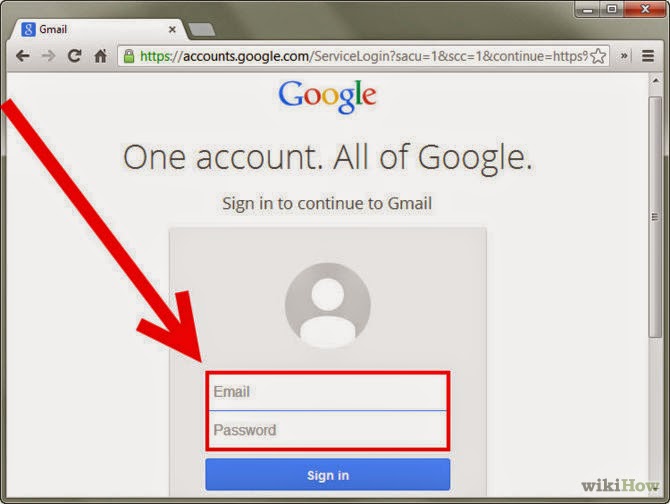
3. Create the Alert: To create an alert you have a valid e-mail address. Your e-mail address is the communication mediator between you and Google. Google will send you the best results to your provided e-mail address. Once you create alert and make request confirm then after you will begin receiving alerts.


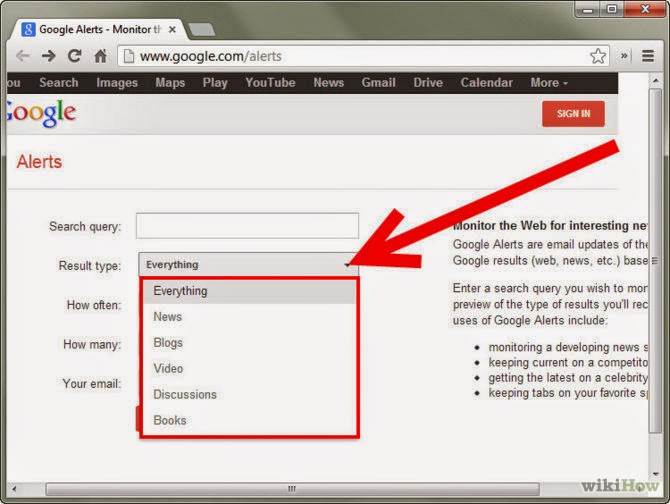
4. Choose Source Type: Google avails some additional resources to filter your search results. Suppose if you want only news type in your alert then you can choose news source there. Other additional sources are blogs, news, video, discussions, books, everything. By default it is everything which is really a good choice. So, Make sure which type of source you want to receive in Google Alert.


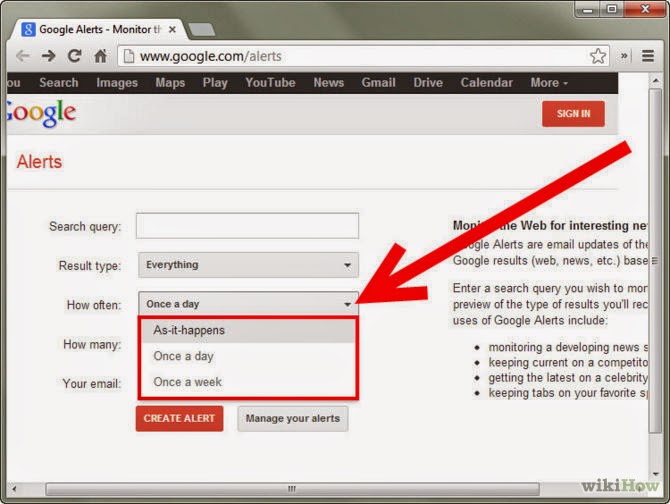
5. Selection of frequency: Now you will have to change frequency of receiving alerts. It means how often you want to receive alerts in your inbox. There are several options like "As it happens", "Once a Day", "Once a Week". Suppose if you choose frequency as "As it Happens", then you will receive notification multiple times in a day as it loads in news stream.So, it is likely to be annoying. Most of guys bypass this. The most suitable is once a day frequency.


6. Select Search Volume: Choose search volume to only the best results. After your selection Google will send you only the best results to your inbox.


Hope these steps fit your understandings and from now you will not have any problem in setting up Google Alert.
Instagram